
One key per app: spend caps, expiry and management keys
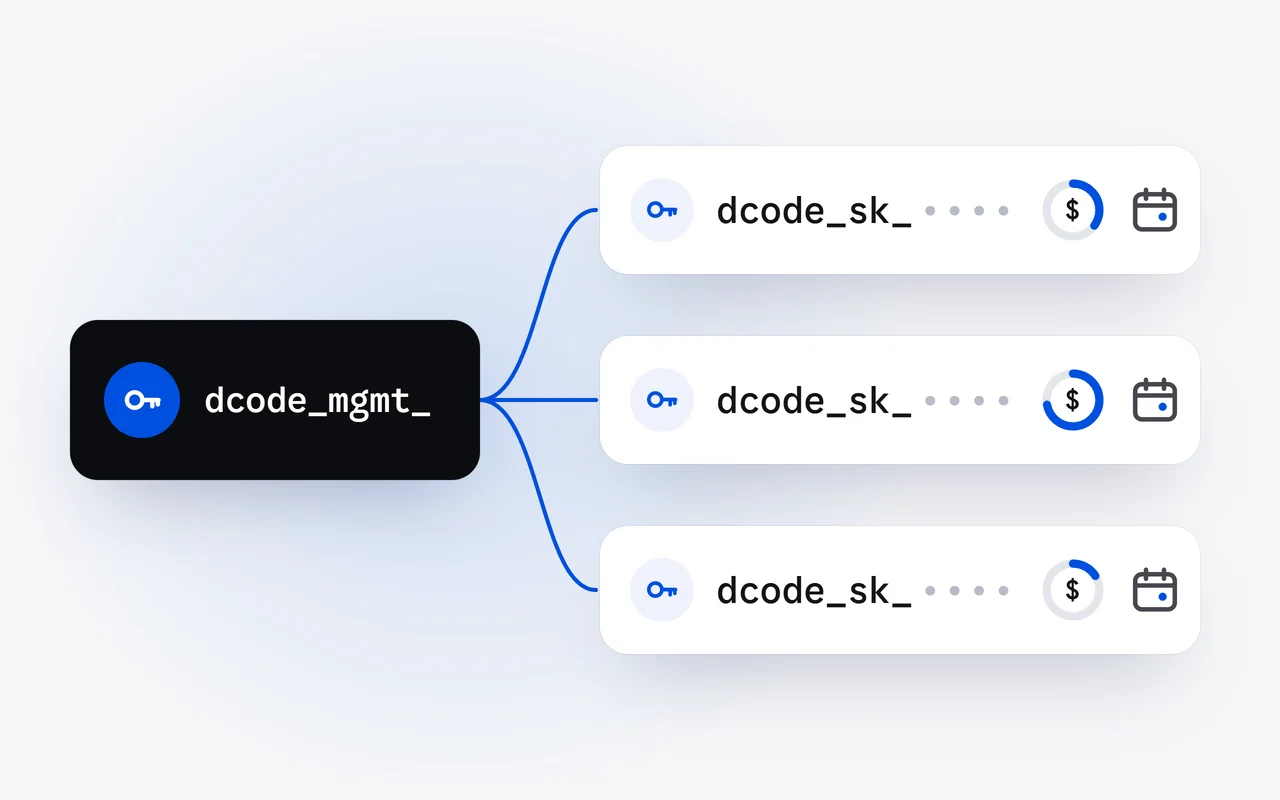
On the DipoleML API, every app, script or teammate can have its own key, with a spending cap in US dollars and an expiry date. A key past its cap or its expiry is refused while your other keys keep working. Management keys create, cap and revoke API keys from code, and never call a model.
Key facts
- Spending caps per key, expiry dates and management keys went live on the DipoleML API on October 5, 2026.
- API keys start with dcode_sk_ and call the models; management keys start with dcode_mgmt_ and only manage keys.
- Each call with an API key is checked in order: the key's expiry (401, key_expired), its cap (402, key_limit_reached), then your balance (402, insufficient_credits).
- A cap is an amount in US dollars for the key's whole life, and the key object shows what the key has used and what remains.
- Revoking a key is immediate, and the key stays in your list with the status revoked.
Since October 5, every DipoleML API key can carry a spending cap and an expiry, and a second kind of key, the management key, creates and governs API keys from code. This piece explains why one key per app is the safer habit, how caps and expiry work, and how to issue a capped, expiring key with one request.
Why give each app its own key?
Every API key bills the same prepaid credit balance. One key shared by everything is simple until something goes wrong: a leak means revoking it for every app at once, and nothing tells you which app spent what. With one key per app, script, CI job or teammate:
- a name says where each key runs;
- a cap limits what each one can spend;
- an expiry ends a key you meant to be temporary;
- revoking one key leaves the others working;
- each key reports what it has used, and when it last made a billed call.
How do caps and expiry work?
A cap is an amount in US dollars for the key's whole life. Once the key has spent it, its calls are refused with 402 and key_limit_reached; your balance and your other keys are not affected. An expiry is a date and time: after it, the key's calls are refused with 401 and key_expired. Every call with an API key is checked in this order before it runs:
The key's expiry
Past its expiry, the call is refused with 401 and key_expired.
The key's cap
Once the key has spent its cap, 402 and key_limit_reached.
Your balance
At zero or below, 402 and insufficient_credits.
The call runs
It is debited after it finishes, from the tokens it used, to the key and to your balance.
A call that runs is debited after it finishes, from the tokens it used, so the last call before a key reaches its cap can take it slightly past. A refused call is not billed.
Where do I set a cap and an expiry?
In the dashboard, a new API key can get a name, a spending cap and an expiry, and you can change the cap and the expiry later or revoke the key. The full key is shown only once, when you create it, so copy it to your secret store right away.
What is a management key?
A management key is a second kind of key. You create it in the dashboard, it starts with dcode_mgmt_, and it too is shown only once. It works only on the key-management paths of the API and never calls a model, while an API key, which starts with dcode_sk_, cannot manage keys. A leaked key of one kind cannot do the other's job. It is the tool for teams, CI pipelines and agents that hand out their own keys. The base URL is https://api.dipoleml.com, and every call sends the management key as a Bearer token:
- GET /v1/management/keys: lists your API keys, with their caps and what each has used.
- POST /v1/management/keys: creates an API key and answers 201, with the key itself once.
- GET /v1/management/keys/:id: returns one API key.
- PATCH /v1/management/keys/:id: changes its label, cap or expiry.
- DELETE /v1/management/keys/:id: revokes it at once.
How do I create a key with a cap and an expiry?
Keep the management key in an environment variable, then send one request with a label, a cap in US dollars and an expiry as an ISO 8601 time. The cap and the expiry are optional: leave them out and the key has no cap and never expires.
curl https://api.dipoleml.com/v1/management/keys \
  -H "Authorization: Bearer $DIPOLEML_MANAGEMENT_KEY" \
  -H "Content-Type: application/json" \
  -d '{
    "label": "invoice bot",
    "limit": 10,
    "expires_at": "2027-01-31T23:59:59Z"
  }'
The answer, with the status 201, is the new key object. The key itself is in key, in this answer only:
{
  "id": "ak_<key id>",
  "label": "invoice bot",
  "status": "active",
  "created_at": "2026-10-25T15:04:05.000Z",
  "expires_at": "2027-01-31T23:59:59.000Z",
  "limit": 10,
  "used": 0,
  "limit_remaining": 10,
  "last_used_at": null,
  "key": "dcode_sk_<the new key>"
}
Hand the dcode_sk_ key to the app it was made for, which uses it like any other API key, with the OpenAI SDK pointed at our base URL. used grows with every billed call, and limit_remaining is the cap minus what the key has used.
How do I change or revoke a key from code?
A PATCH changes only the fields you send and returns the key. Send null to remove the cap or the expiry; here the cap goes and the expiry moves:
curl -X PATCH https://api.dipoleml.com/v1/management/keys/$KEY_ID \
  -H "Authorization: Bearer $DIPOLEML_MANAGEMENT_KEY" \
  -H "Content-Type: application/json" \
  -d '{"limit": null, "expires_at": "2027-06-30T23:59:59Z"}'
A DELETE revokes the key at once. Its next call fails with 401, and it stays in your list with the status revoked, so your records stay complete:
curl -X DELETE https://api.dipoleml.com/v1/management/keys/$KEY_ID \
  -H "Authorization: Bearer $DIPOLEML_MANAGEMENT_KEY"
How do I keep keys safe?
- Keep API keys on the server: in server code, a script or CI, never in a web page or a mobile app.
- Keep each key in an environment variable or a secret store, out of files under version control.
- A management key can make keys that spend your credits. Keep it in your CI's secret store, and if one leaks, revoke it in the dashboard and create another.
- Give keys you hand to machines a small cap and an expiry, so a lost key cannot surprise you.
Where do I go next?
The management keys reference has every field, and authentication covers sending a key. For what calls cost, see what an AI task costs and the pricing page; to put a new key to work, read streaming on the DipoleML API. The API page lists everything the DipoleML API supports.
Questions and answers
What happens when a key reaches its cap?
Its next call is refused with 402 and the code key_limit_reached. Your balance and your other keys are not affected. Since a call is debited after it finishes, the last one can take a key slightly past its cap.
Can a management key call Raven?
No. A management key works only on the key-management paths, and an API key cannot manage keys, so a leaked key of one kind cannot do the other's job.
Can I remove a cap or an expiry later?
Yes. Send null for limit or expires_at in a PATCH, or edit the key in the dashboard. A PATCH changes only the fields you send.
First published Last updated