
Crews explained: how DCode splits one task across up to 24 agents
A crew is how DCode, the agentic coding environment by Dipole ML Inc., splits one task across up to 24 agents in parallel. It suits work whose parts do not depend on each other. The Crew dock shows every agent side by side through the Plan, Work and Review stages, and a crew is counted in tokens only.
Key facts
- Since DCode 2.0.1 on October 29, a crew of up to 24 agents can work on one task in parallel.
- A crew suits work whose parts do not depend on each other: reviewing many files, separate investigations, several independent components.
- For one tightly linked change, where each step needs the one before it, a single agent is better.
- Since DCode 2.0.3, the Crew dock shows every agent side by side, with live counts and the Plan, Work and Review stages.
- A crew is counted in tokens only, from the same allowance as any other DCode work, with no separate charge per agent.
Some coding tasks are one long chain: each change needs the one before it. Others are many jobs that share a goal: reviewing many files, running separate investigations, building several independent components. Since DCode 2.0.1 on October 29, DCode can hand work of the second kind to a crew of up to 24 agents working in parallel. This is how a crew works, when it helps, and what you see while it runs.
When does a task suit a crew?
When its parts do not depend on each other. Agents in a crew work side by side, so a part that has to wait for another part's result gains nothing from a second agent. Describe the task as you would to one agent: when it has parts that stand on their own, DCode can hand them to a crew.
| The work | Better with | Why |
|---|---|---|
| Reviewing many files | A crew | The files can be read side by side. |
| Separate investigations | A crew | No question waits on another's answer. |
| Several independent components | A crew | Each part can be built on its own. |
| One tightly linked change | One agent | Each step needs the one before it. |
For one tightly linked change, a single agent is better: a fix where every step builds on the last, a change that has to stay consistent from one end to the other. Say so in your message, and DCode works alone.
What happens in the Plan, Work and Review stages?
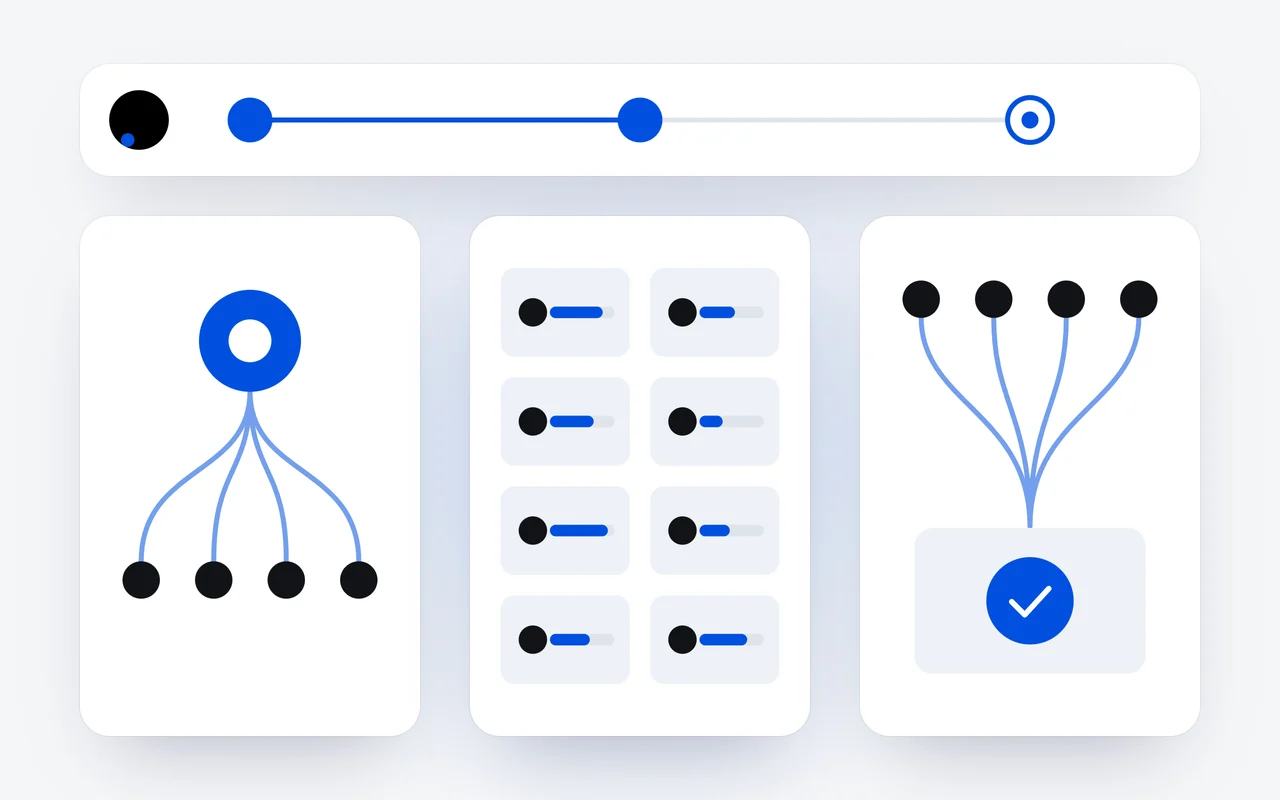
Since DCode 2.0.3, the Crew dock names the stage a crew is in. DCode first splits the task into parts, the agents then work on the parts side by side, and at the end the results are reviewed and brought together.
Plan
DCode splits the task into parts that do not depend on each other.
Work
Up to 24 agents work on the parts in parallel, each with its own card in the dock.
Review & merge
The results are reviewed and brought together into one.
The split is what makes the rest work. Parts that do not wait on each other keep every agent busy during Work, and the Review & merge stage gives you one result to read rather than 24 separate ones.
What do I see while a crew works?
The Crew dock sits at the top of the chat:
- Counts and stage. How many agents are working, waiting and done, and whether the crew is at Plan, Work or Review & merge.
- A card for each agent, side by side, with what it is doing and the tokens it has used.
- Needs you. When an agent has a question or needs your confirmation, the dock says so.
- Stop stops the whole crew, and Hide the crew folds the dock away while it keeps working.
In the CLI, a live Crew panel lists each agent and its state. Only one agent uses the screen at a time: when the work needs Computer Use, an agent waits its turn, and its card says Waiting for the screen.
What does a crew cost?
Tokens, and nothing else. A crew is counted in tokens only, drawn from the same allowance as any other DCode work. There is no separate charge for agents working in parallel, so the choice between a crew and one agent comes down to the shape of the task, not a fee. The dock shows each agent's tokens, so you can see where the work went.
On a plan, those tokens count against your plan's windows; on API credits, they are paid per token at the prices on our pricing page.
Crews come with DCode, a free download on the download page. The full guide is in the Crew docs.
Questions and answers
How many agents can a DCode crew have?
Up to 24, working in parallel on one task. The Crew dock shows each of them side by side, with what it is doing.
Is there a charge per agent in a DCode crew?
No. A crew is counted in tokens only, drawn from the same allowance as any other DCode work. There is no separate charge for agents working in parallel, and the dock shows each agent's tokens.
When is one agent better than a crew?
For one tightly linked change, where each step needs the one before it. A crew is at its best when the parts do not depend on each other. Say in your message that you want DCode to work alone.
First published Last updated